
Xcode 26.3 agentic coding is the update I was waiting for. On February 3, 2026, Apple put the phrase front and center in Xcode 26.3, and that flipped a switch for me to start shipping real, useful agents.
Quick answer: To start with agentic coding in Xcode 26.3, pick one repetitive task, choose a stable model you can run today, expose a single safe tool, and wire a tight think-act-observe loop. Add a dry-run, a confirmation step, and a small step and cost budget. Ship one tiny win, learn from it, then add a second tool only after the first loop is solid.
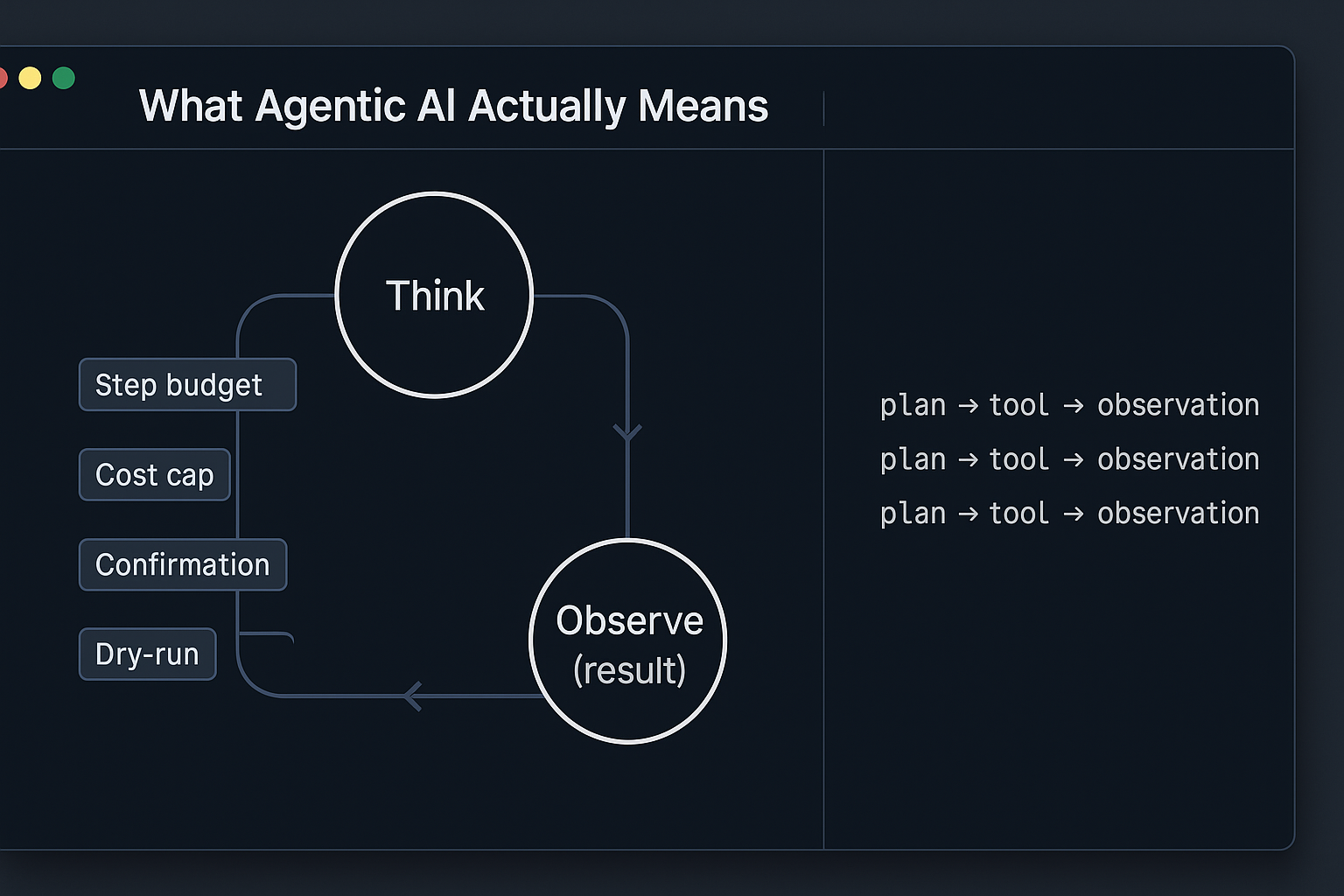
What Agentic AI Actually Means
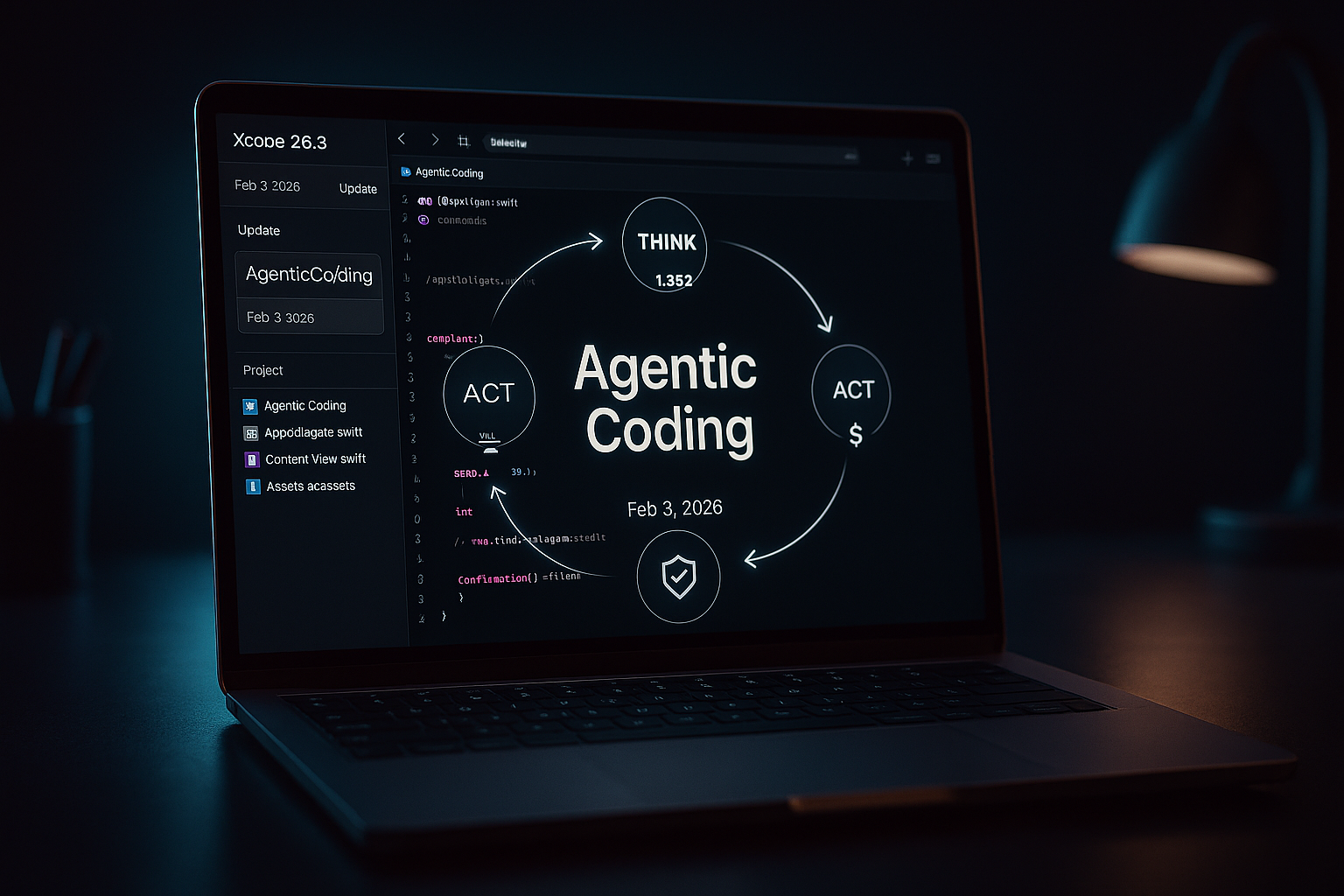
In plain English, an agent is a chatbot that can do things without me micromanaging every step. It plans, calls a tool, looks at the result, and decides what to do next. My mental model is simple: think, act, observe. Wrap that loop in a budget and a couple of safety checks and you have something genuinely useful.
I keep it simple: think, act, observe, then wrap the loop in a budget and safety checks so it actually helps me.
Why the Feb 3, 2026 Xcode Update Matters
When Apple called out agentic coding in Xcode 26.3 on February 3, 2026, it signaled that this pattern is moving from demos to daily tooling. The playbook is getting standardized, and the bar for developer experience is rising. If you ship for Apple platforms, consider this a nudge to embed tiny agents in your workflow. You can read Apple’s announcement here: Xcode 26.3 unlocks the power of agentic coding.
How I’d Start This Week
Pick one boring, repeatable task
I skip the moonshots and automate something low risk that I already do. Email triage, file cleanup, or drafting release notes are great first wins because I know what good looks like.
Choose a model I can actually run
I don’t chase the biggest model. I use a reliable hosted LLM I already have access to, or a small local model if privacy matters. Predictable tool use beats raw IQ for a first build.
Expose exactly one tool
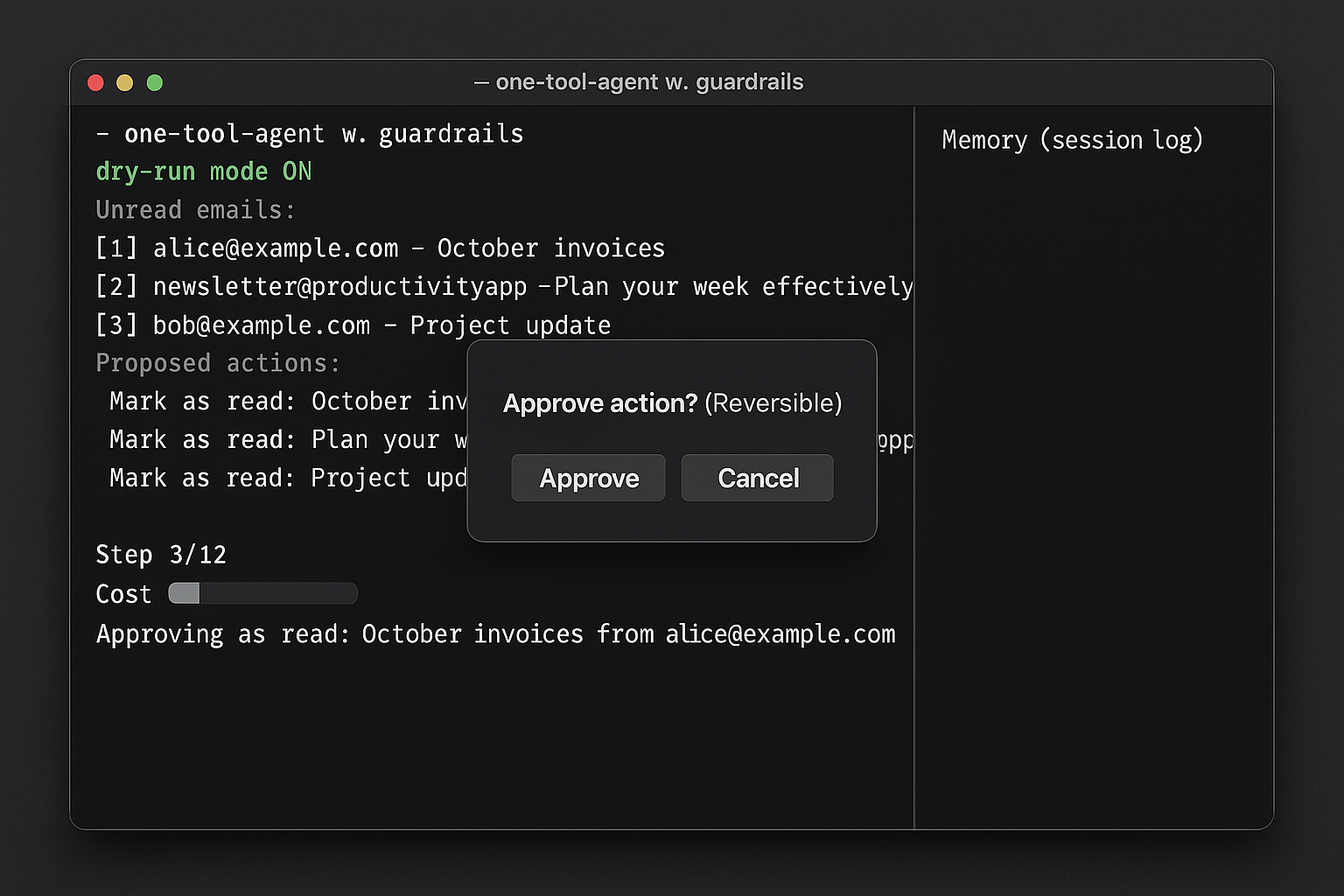
I wrap a single capability with a clear function signature and a reversible path where possible. Listing unread emails, moving a file, creating a calendar event, or calling a safe whitelisted SQL query are all perfect. One tool is enough to learn the loop.
I ship the first version with one clear, reversible tool because one tool is enough to learn the loop.
Add guardrails before touching real data
I always start with dry-run mode, a confirmation step for irreversible actions, and a firm step and cost budget. Guardrails let me iterate without fear.
Give it memory the lazy way
On day one, I log every step and let the agent read its own log during the session. A single scratchpad file gets me surprisingly far. Later, I add a tiny embedding store for past outcomes.
Watch the loop in the open
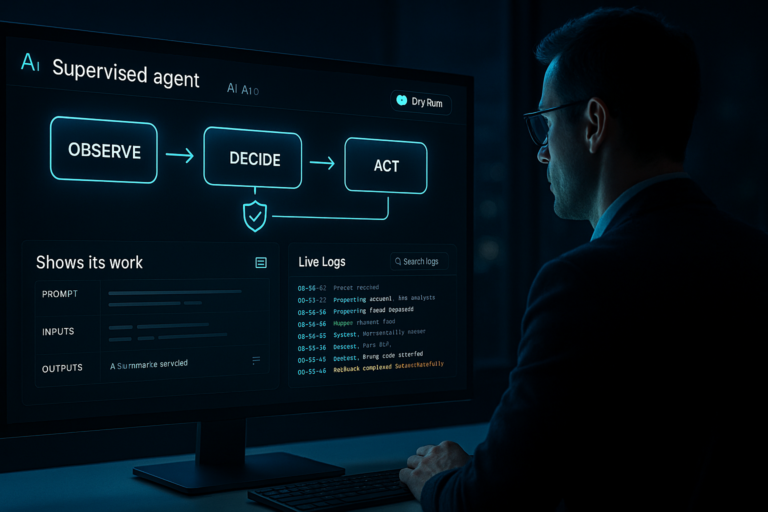
I run the agent in a terminal or debug view where I can see thoughts, tools called, and observations. If I can’t see the loop, I can’t fix weird behavior. When it’s stable, I tuck it behind a button.
I run the agent where I can watch its thoughts, tools, and observations; if I can’t see the loop, I can’t fix weird behavior.
The Minimal Stack I Recommend
On macOS or iOS, Xcode 26.3 is an obvious sandbox for agentic coding, especially around build tasks, tests, and code scaffolding. For cross-platform work, I reach for Python to prototype fast, or JavaScript if it’s headed to a web app. I pick one model provider I trust, wire one tool, and keep the scope tight.
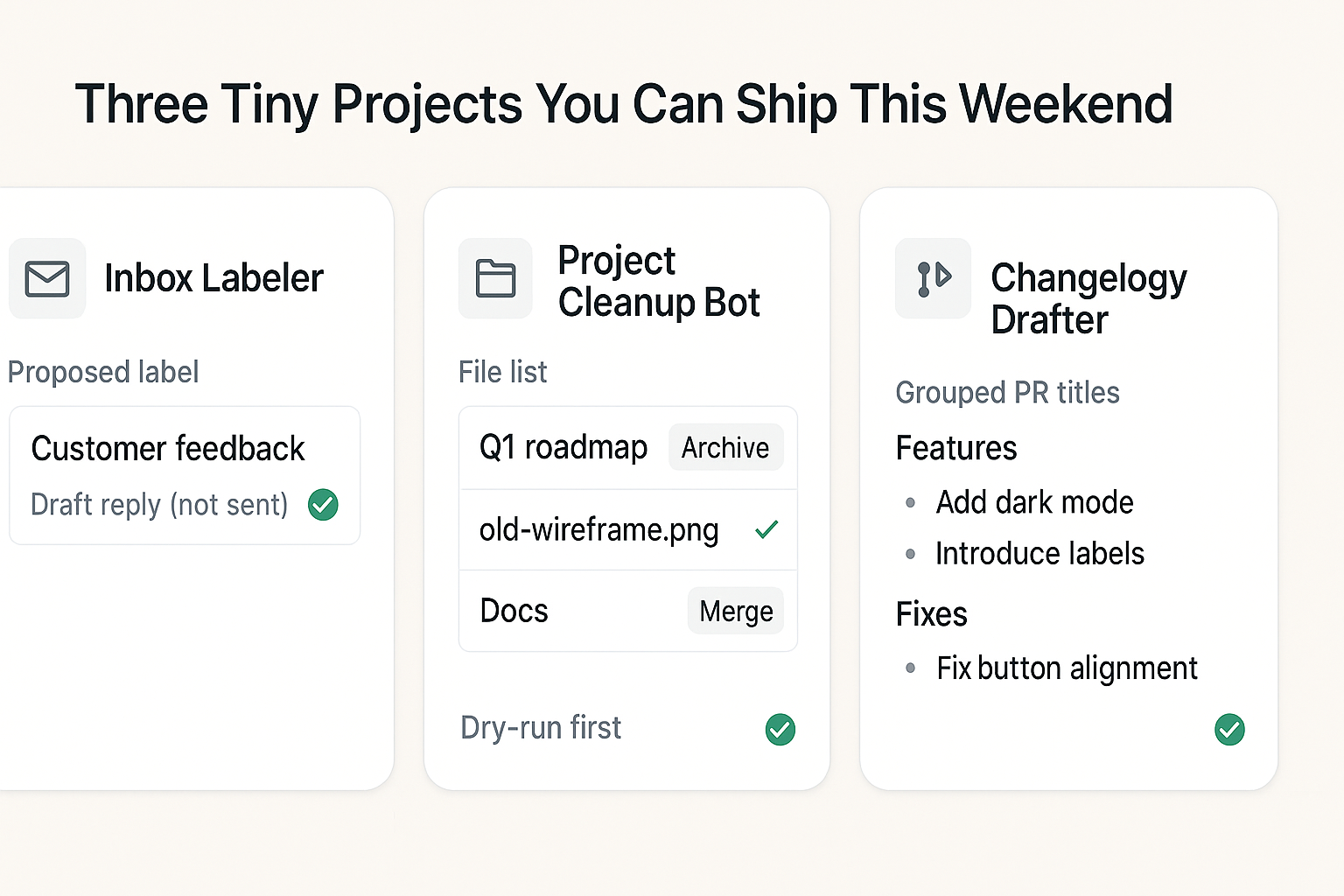
Three Tiny Projects You Can Ship This Weekend
- Inbox Labeler: List the last 25 unread emails, propose a label from a small whitelist, and draft a reply only if it matches a known template. Never send without approval.
- Project Cleanup Bot: Read filenames and brief snippets, then decide to archive, keep, or merge notes. Always include a dry-run first.
- Changelog Drafter: Pull merged PR titles and bodies since the last tag, group similar changes, and write a draft with categories. You approve the final write.
I keep these tiny agents on a leash: never auto-send, always dry-run, and I approve the final action.
Common Rookie Mistakes I See
Too many tools too early. More tools mean more ways to stall. I master one tool first, then add another.
No reversible path. If the first version can delete or send, I hesitate, and I should. I start read-only or use a sandbox so mistakes are safe.
Skipping observation. If the agent can’t see real outputs and errors, it hallucinates progress. I always feed outputs back into the loop.
No budget. A step counter and dollar cap force clearer prompts and sharper tool design.
I set a hard step counter and a dollar cap to force clearer prompts and tighter tool design.
Hiding the reasoning too soon. Early on, visibility is my debugger. Later, I can compress or redact it.
What This Signals For 2026
With Apple naming agentic coding in Xcode 26.3 on February 3, 2026, I expect agents to sit inside developer workflows by default. Think test authoring, UI scaffolding, performance hints, and crash triage. If you start now, you’ll be fluent when these patterns are everywhere.
My 7-Day Kickstart Plan
Day 1: Pick the task and define success. Choose the model.
Day 2: Build one tool with clean input and output. Add dry-run.
Day 3: Wire the think-act-observe loop and log everything.
Day 4: Add budget, confirmation, and error handling.
Day 5: Run on a small dataset. Tune prompts and tool outputs.
Day 6: Add a second tool only if the first is rock solid.
Day 7: Wrap in a simple UI or command and use it for one focused hour.
FAQ
What is agentic coding in Xcode 26.3?
It’s the practice of building AI-powered loops that plan, call tools, and react to results inside your development workflow. In Xcode 26.3, Apple spotlighted this approach on February 3, 2026, which makes it a first-class pattern to explore.
Do I need Swift to benefit from agentic coding?
No. The pattern works in Python and JavaScript just as well. If you ship on Apple platforms, Xcode gives you a great place to start, but the core loop is language-agnostic.
Which model should I pick for my first agent?
Choose a stable model you can run reliably today, hosted or local. You want predictable tool use and consistent behavior more than peak benchmark scores.
How do I keep an agent from running wild?
Use a dry-run mode, confirmation for irreversible actions, and firm step and cost budgets. Log every step and review outputs before promoting the agent to real data.
Can I add memory without a database?
Yes. Start with a simple session log the agent can read. When you outgrow that, layer in a small embedding store for past decisions and outcomes.
Final Thought
If Xcode 26.3 agentic coding caught your attention on February 3, 2026, treat it as a green light. Build one tiny agent around a task you already do, teach it one tool, and make it show its work. That first working loop is the unlock. Everything after that is just more tools and better polish.