
Agentic AI finally crossed the line from talk to real work, and I felt it this week. I saw agents show up in banking, in enterprise stacks, on the desktop, and in end-to-end security guidance, all in ways I can actually use.
Quick answer: From Mar 20 to 21, 2026, a bank shipped an assistant that takes actions, an enterprise vendor launched a full agentic AI stack, desktop agents got real on PCs, and Microsoft published end-to-end security guidance. If you start with one boring workflow and use a draft-then-confirm loop plus simple logging, you can copy these wins safely this weekend.
I start with one boring workflow and use a draft-then-confirm loop plus simple logging so I can copy these wins safely this weekend.
A banking app that actually does things
On Mar 20, 2026, The Next Web covered Starling’s AI banking assistant as something that actually does things. That phrasing matters. We’ve had chatty finance bots forever. The leap is execution: pay a bill you mention, move money between pots, or kick off a savings task without hunting through menus. If a regulated bank is letting an agent act, that tells me we’ve hit a new baseline.
What I’d try this weekend
I tested a tiny do-it-for-me loop at home to feel this shift without risking anything important. I glued a model to a couple of safe actions and forced a human confirmation before anything fired.
- Draft and confirm: have the model draft recurring transfers or bill reminders, then require one-tap approval.
- Receipts to buckets: auto-route emailed receipts to a sheet and get a Friday spend summary.
- Refund check: when a flight or subscription email arrives, draft the claim but never submit without my OK.
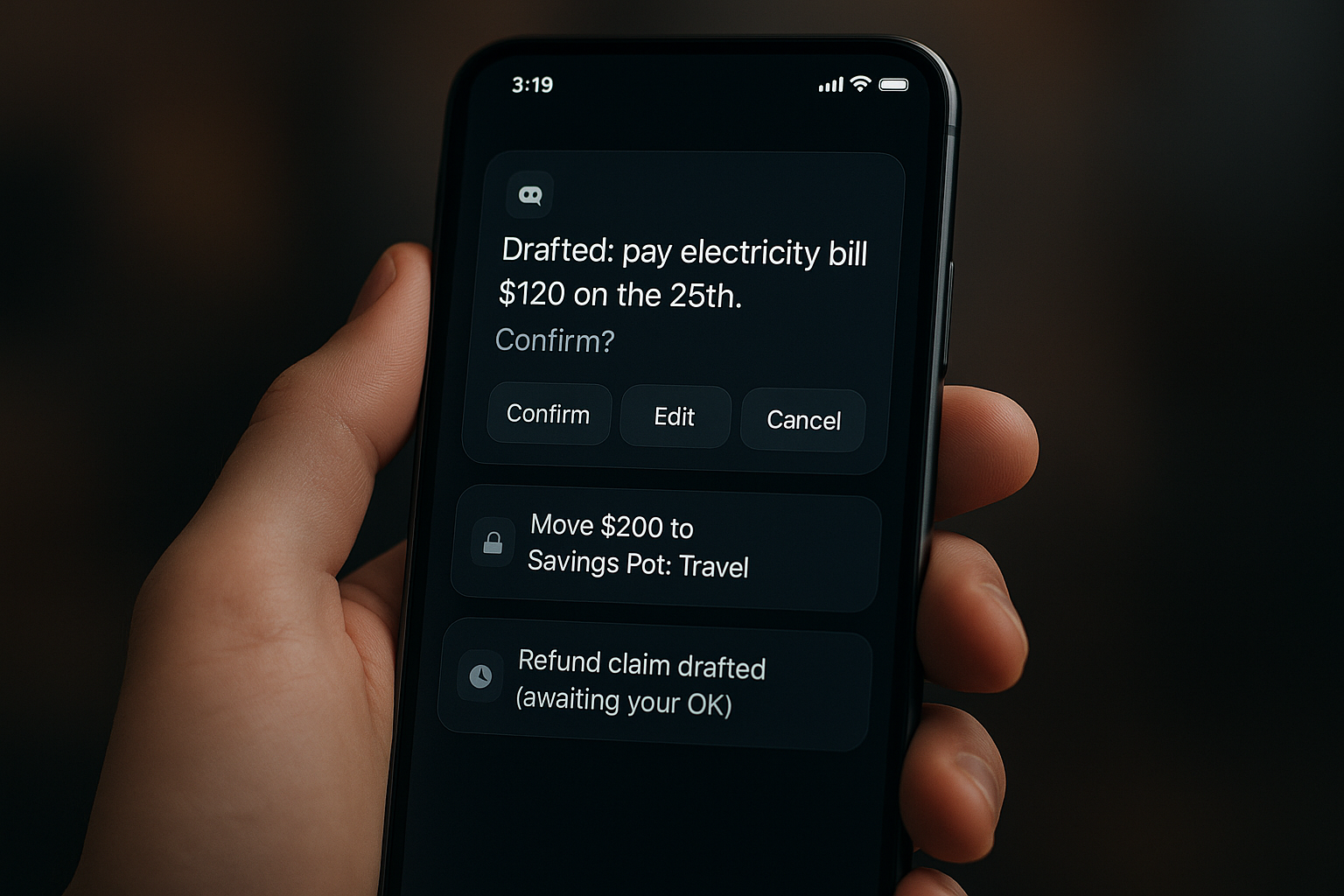
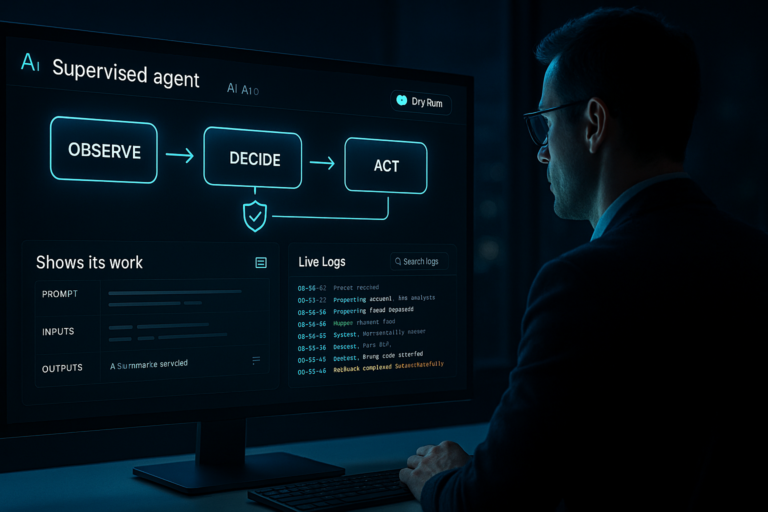
That draft-then-confirm rhythm builds trust and mirrors how banks will likely roll this out responsibly.
I always use a draft-then-confirm rhythm to build trust and roll out changes responsibly.
The enterprise turn that makes this real
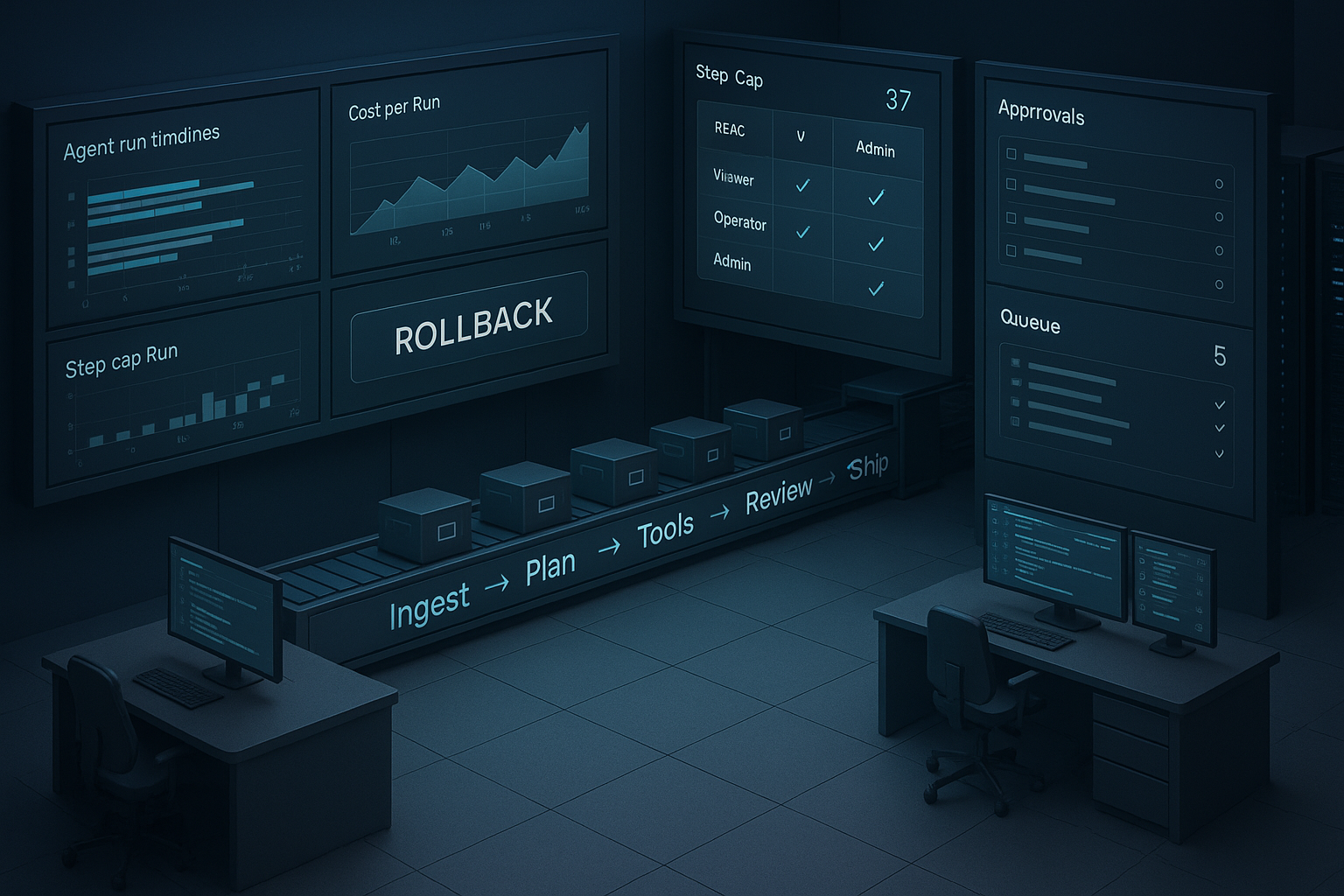
Also on Mar 20, 2026, HPCwire reported Nutanix Agentic AI, a full stack for what they call enterprise AI factories. The message is clear to me: the hard part isn’t just model quality anymore. It’s running agents with observability, cost controls, RBAC, rollbacks, and a way to tame runaway tool calls. When vendors package the factory, the patterns trickle down for the rest of us.
I focus less on model quality and more on observability, cost controls, RBAC, rollbacks, and taming runaway tool calls.
How I’m applying it
I built a tiny factory for one workflow I care about: content ops. My agent pulls a draft from notes, runs a style pass, checks citations with a facts-only search, then opens a pull request for review. The model isn’t the star. The plumbing is. I keep tools explicit and few, I log every action to a simple dashboard, and I cap the number of steps per run. That boring-by-design setup saved me from a 3 a.m. cleanup more than once.
Your laptop is now an agent workspace
Also on Mar 20, 2026, TechRadar wrote that AI agents are taking over tasks on PCs. If you’ve never tried it, it feels like jumping from a macro to a junior assistant. Agents can read the screen, click buttons, wait for states, and loop through steps without any API. For me, that unlocks the last mile when a tool I love doesn’t integrate with anything.
My go-to starter workflow
I run a weekly reporting loop. The agent opens analytics, exports last week’s data, drops charts into a doc, and drafts a short summary. I stay in the loop for tone and final approval. I also set a visible timer and a per-run action cap, and I make it ask before it edits or deletes anything. The time savings are obvious and the risk stays tiny.
I set a visible timer, cap actions per run, and make the agent ask before it edits or deletes anything.
Microsoft’s blueprint that keeps agents safe
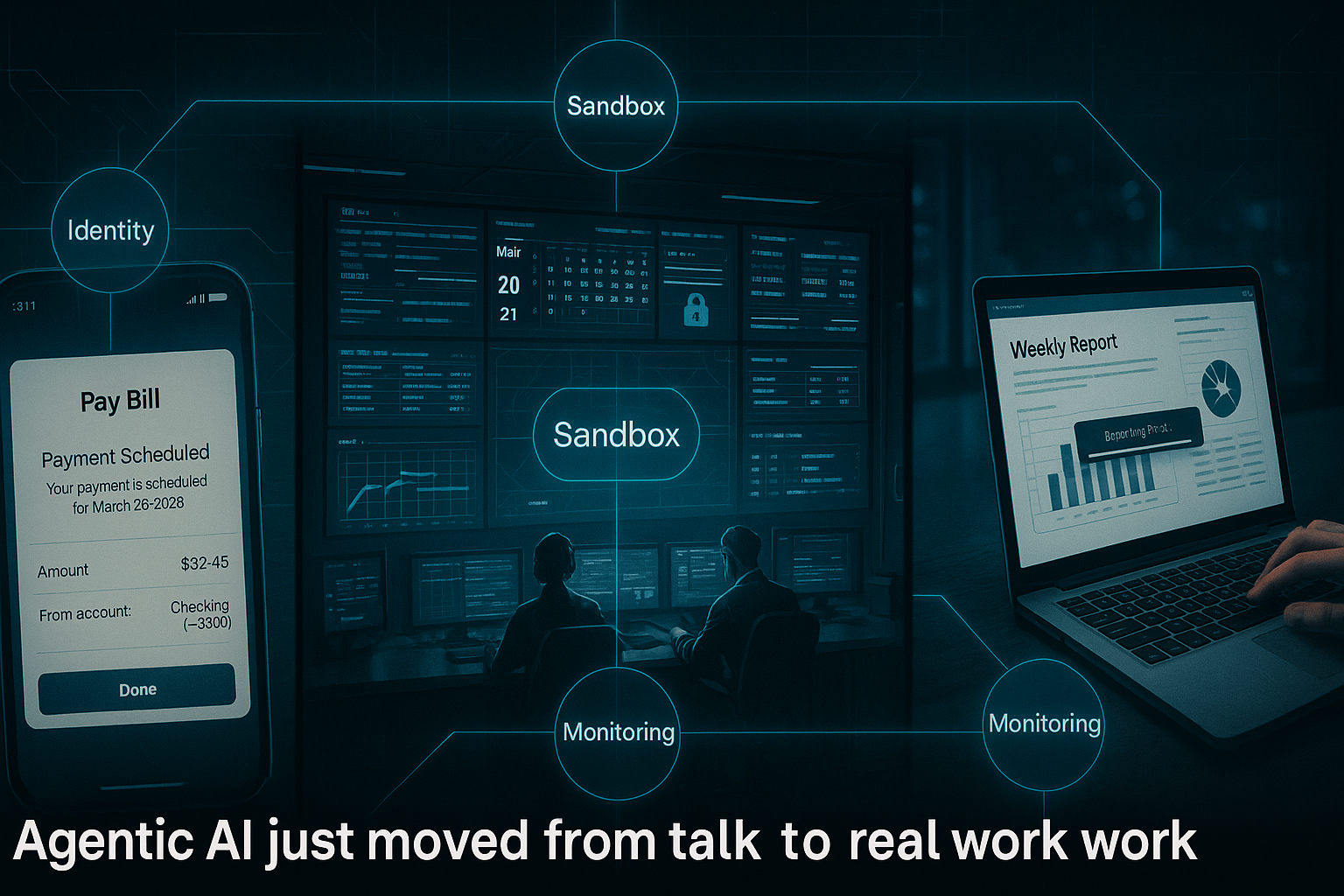
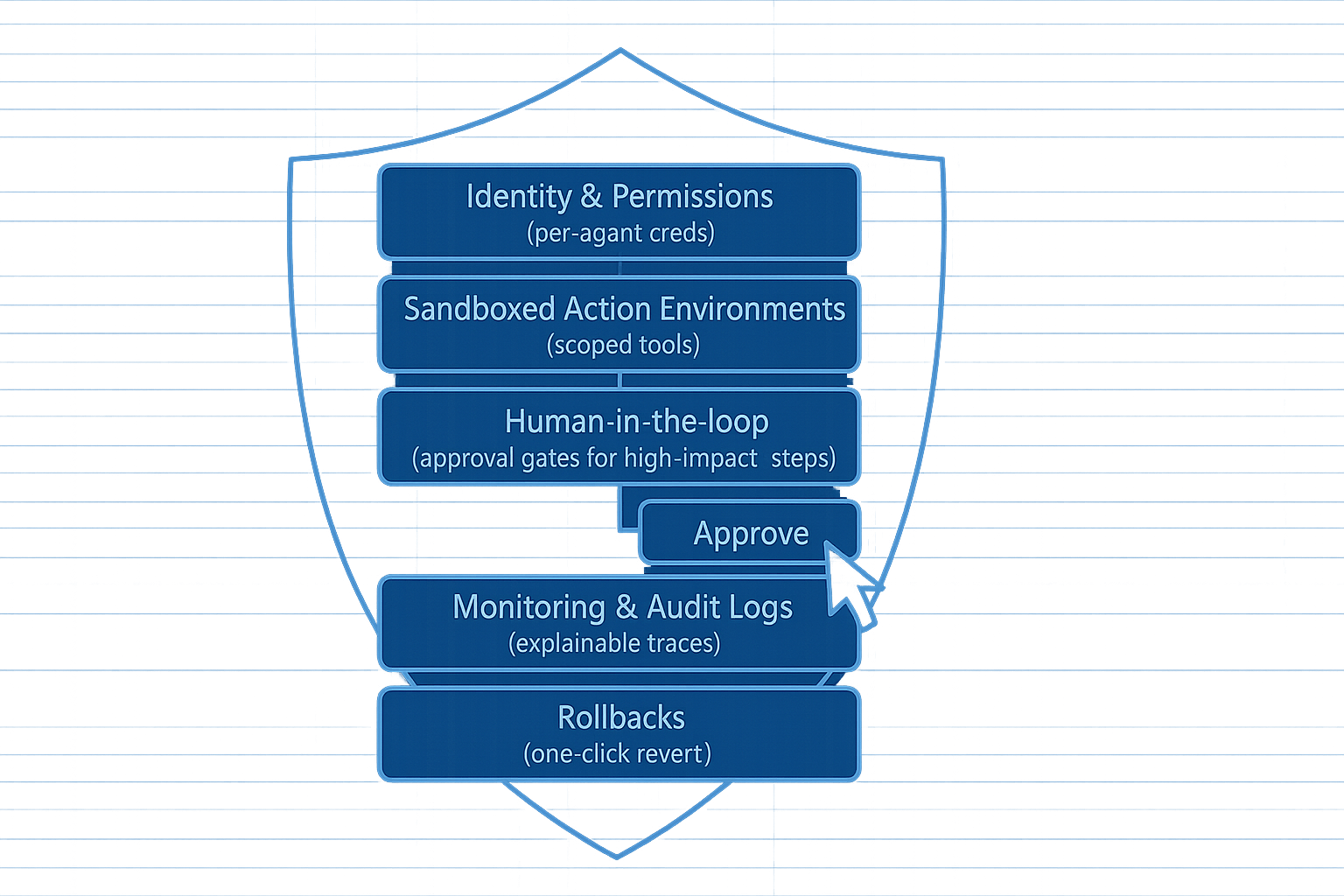
On Mar 20, 2026, Microsoft published guidance on securing agentic AI end to end. What stood out to me is the breadth. Identity and permissions for agents and tools, sandboxed action environments, human-in-the-loop for high-impact steps, and monitoring you can actually explain later. I turned that into a lightweight spec for every workflow I ship.
My lightweight agent spec
I write down scope, the exact screens or APIs the agent can touch. I note roles, who approves what and what happens if they don’t respond. I define logs, where actions and plans get stored and for how long. I add rollback steps I can follow if something goes sideways. I also version prompts like code, because most days the prompt is the policy.
I version prompts like code, because most days the prompt is the policy.
So where should you start this week
If you’re new to agentic AI, pick one workflow that already annoys you and make the agent do the boring parts. Keep the model simple. Keep tools explicit. Keep approval in the loop. Day 1, write a two-sentence outcome and five clear steps, plus what the agent must never do. Day 2, wire one tool and log every action. Day 3, add a review stop before the final step.
FAQ
What is agentic AI in plain English
Agentic AI is a system that doesn’t just chat. It plans, chooses tools, and takes actions toward a goal with you in the loop. Think of it as a junior assistant that follows a checklist, asks when unsure, and leaves a paper trail you can review.
Is agentic AI safe for beginners
Yes if you set boundaries. Limit the scope to low-risk tasks, require draft-then-confirm on anything that moves money or edits files, and log every action. Microsoft’s guidance from Mar 20, 2026 is a good checklist to copy for small projects.
Do I need APIs to automate my workflow
No. Desktop agents can navigate screens, click buttons, and export files even when an app has no API. I start with deterministic OS shortcuts and let the model decide when to run them, not invent new tools on the fly.
What’s the fastest win I can try this weekend
Set up a weekly reporting loop. Have the agent open analytics, export last week’s data, paste charts into a doc, and draft a three-paragraph summary. You approve the final send. It’s fast to build and easy to trust.
How do I avoid runaway costs with agentic AI
Cap steps per run, set a budget, and log tool calls. I also schedule agents at quiet hours and review logs weekly. Most savings come from one well-guarded workflow, not from scaling to ten on day one.
The bottom line
Mar 20 to 21, 2026 felt like a pivot point for agentic AI. A bank shipped an assistant that acts, an enterprise vendor framed the stack you’d actually run, desktop agents hit mainstream, and Microsoft laid down practical guardrails. Start small, keep approvals tight, and you’ll feel the compounding effect fast. When the bigger ideas hit, you’ll already have the factory, the habits, and the paper trail to ship confidently.