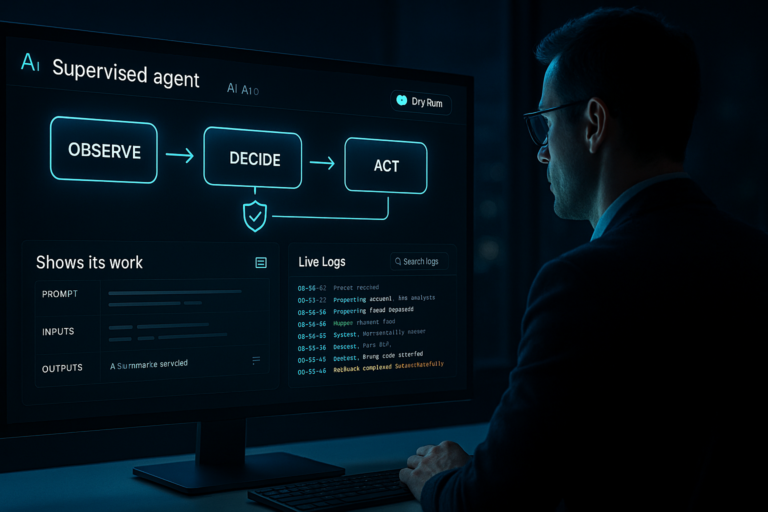


Agentic AI finally clicked for me on March 26, 2026. I stopped fussing over prompts and started shipping small, real agents that do actual work.
Quick answer: March 26 brought five signals that Agentic AI is ready for prime time: Arm’s new CPU focus, Linear’s agent-first stance, cheaper access in GitLab 18.10, Salesforce-backed design trends, and a big adoption gap in support. If you start with three tools, tight guardrails, and a write-back loop, you can ship a useful support agent this weekend.
I start with three tools, tight guardrails, and a write-back loop to ship a useful support agent this weekend.
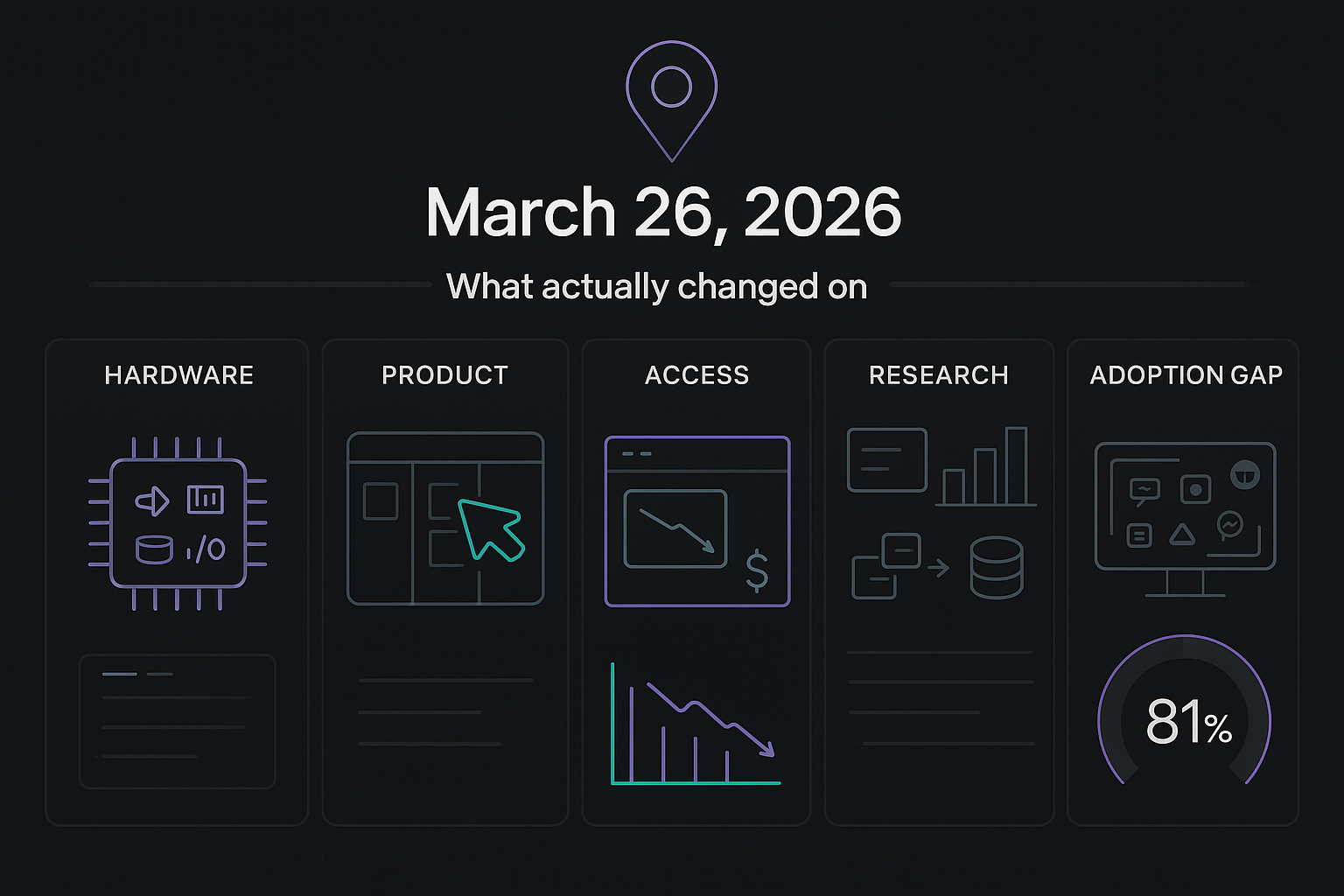
What actually changed on March 26, 2026
Arm put silicon behind long-running agents
Arm announced its AGI CPU as the foundation for the agentic cloud. I’m not a chip nerd, but I care because agents plan, call tools, and iterate. That needs fast context switching, memory, and IO. When hardware optimizes for that, costs usually fall and reliability gets better fast. You can read the announcement here: Arm AGI CPU.
Linear’s CEO called classic issue tracking dead
Also on March 26, Linear said it is adopting agentic AI and the CEO basically said issue tracking as we know it is over. Under the hot take is the point I’ve been waiting for: agents that don’t just log tasks, they move them. Think triage, repro steps, owner suggestions, even draft fixes. The write-up is here: Linear adopts agentic AI.
GitLab 18.10 made agentic features easier to try
GitLab 18.10 landed on March 26 with language about lower cost access to agentic capabilities. Translation for my weekend projects: fewer expensive knobs, more room to experiment. That nudges Agentic AI out of the enterprise sandbox and into side-project territory. Details here: GitLab 18.10.
I use lower-cost agentic features as a green light to run weekend experiments without sweating the bill.
Salesforce research lined up with what’s working
Also on March 26, Salesforce AI Research highlighted trends that match what I’m seeing: heavier tool use, multi-step planning, grounding in your own data, and sensible guardrails. If you’ve been treating chatbots like autocomplete, this is a nudge to give them actual jobs.
81% of support teams still use disconnected AI tools
Typewise’s 2026 index says most support teams run AI as scattered tools, not connected agents. That gap is the opening. If you wire an agent to your docs, tickets, and CRM, you’re already ahead of 4 out of 5 teams.
What this means if you’re starting from zero
Here’s the mindset shift that unstuck me: copilots help with a task, agents own the task inside clear boundaries. Once I accepted that, my design questions changed from prompts to tooling, success checks, and write-back targets.
I treat copilots as helpers and agents as owners inside clear boundaries.
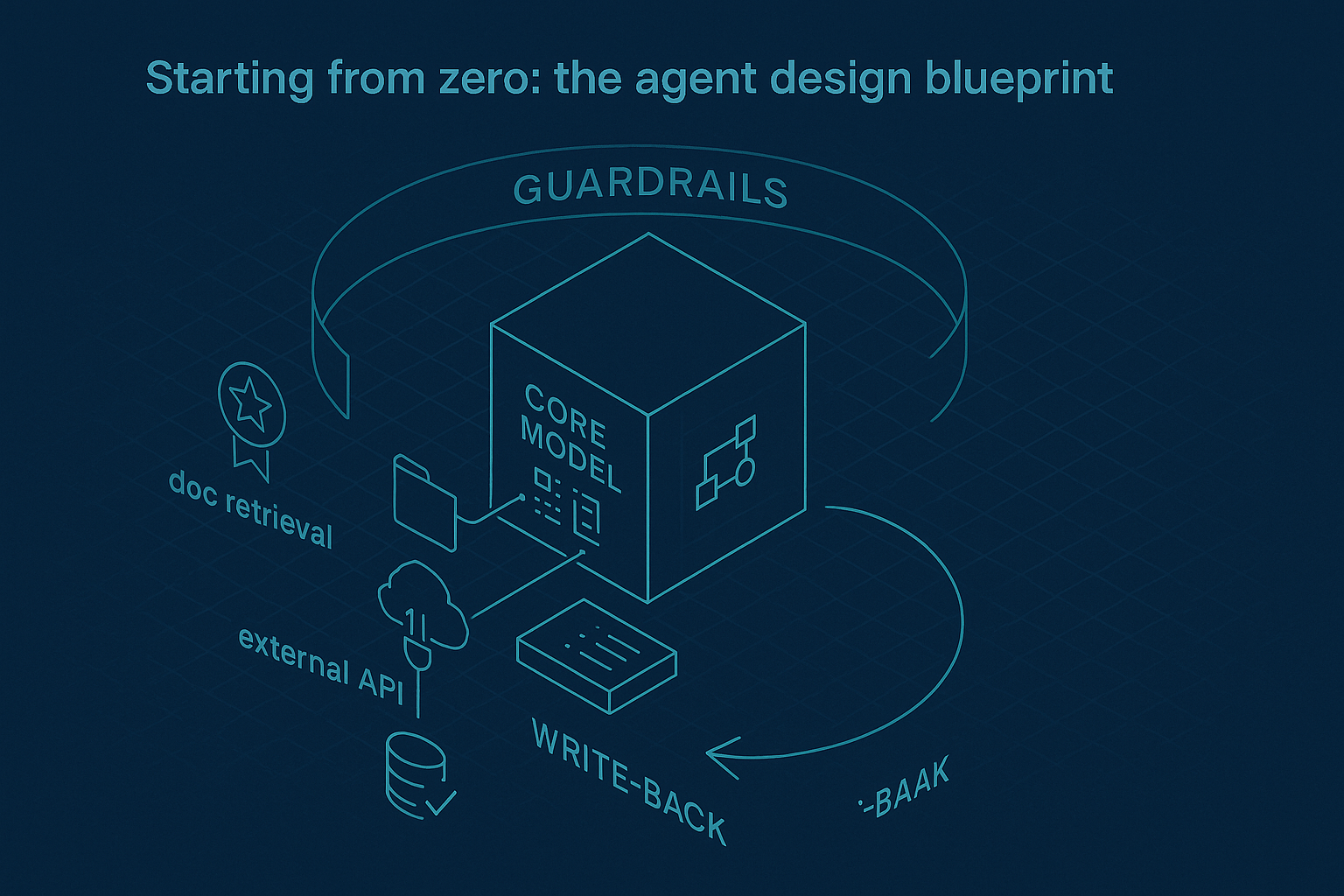
- A reliable model with structured tool use and basic planning
- Cheap but useful memory: a small vector store plus a scratchpad for state
- Three tools to start: doc retrieval, one API call, and write-back to your system of record
- Guardrails: success criteria, a token or time budget, and a clean escalate path
Guardrails don’t make agents boring. They make them shippable.
A tiny project you can actually ship this weekend
I built a small support agent because boring ships. The job is simple: given a new ticket, propose an answer, check it against our docs, post a draft reply, and tag the ticket. If confidence is low, it asks for help.
The tools
Tool 1 is doc retrieval. Index a Notion export or a folder of Markdown into a basic vector store. Tool 2 is write access to your ticket system. No Zendesk or Intercom? Fake it with a spreadsheet that has status, draft reply, and tags. Tool 3 is a checklist function the agent must call before posting. It only passes if the draft links a doc and contains no sensitive info. You’ll be surprised how much stability that adds.
The loop
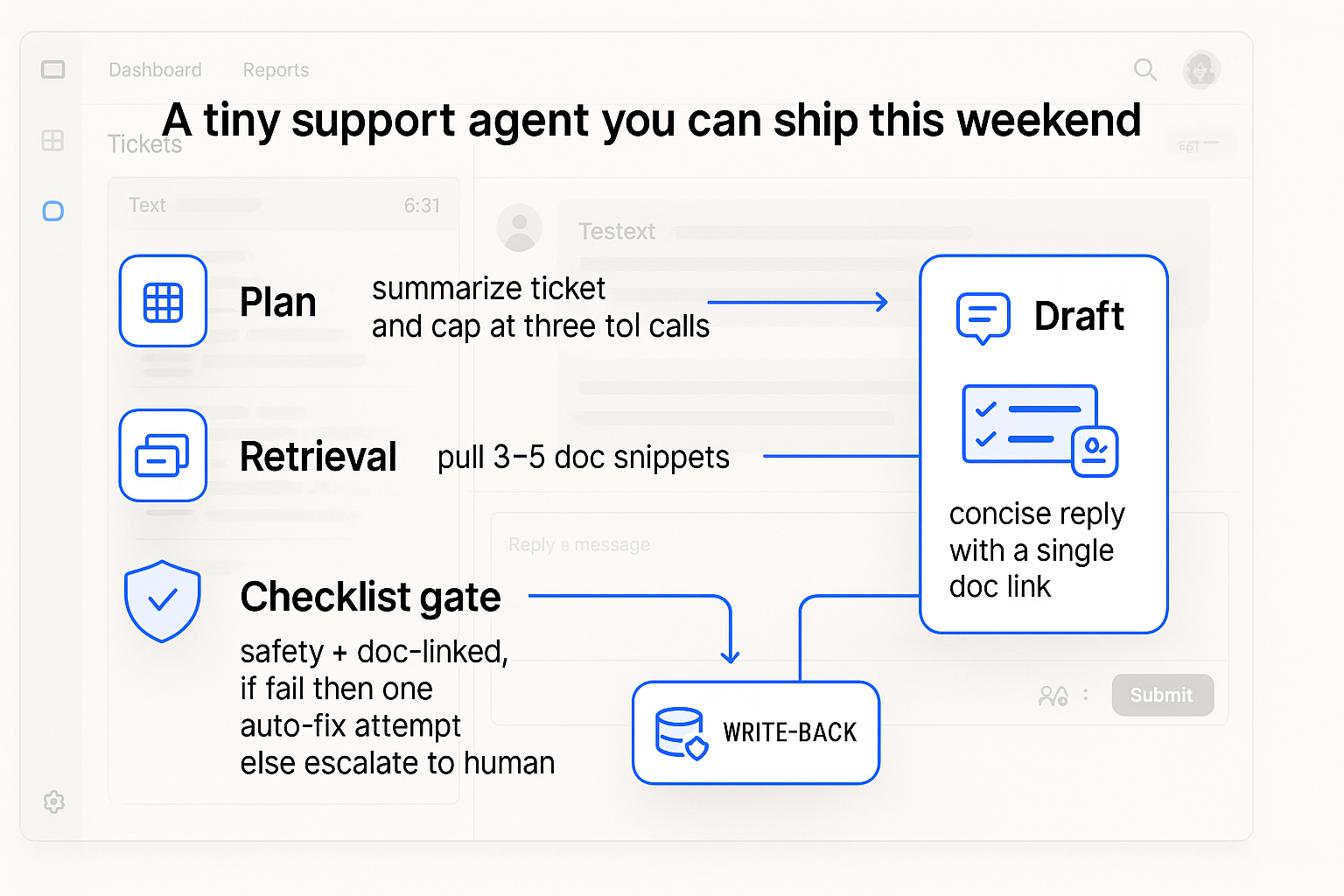
Plan step: summarize the ticket and cap tool calls at three. Retrieval: pull three to five relevant snippets, not more. Draft: write a short answer with a single doc link. Checklist: if it fails, fix and recheck once, then escalate. Write-back: post the draft and tag the ticket with a confidence score. That’s the difference between a cool demo and useful automation.
I cap tool calls, keep retrieval tight, and require a checklist before any write-back.
Why March 26 got me off the fence
Arm’s agentic cloud framing told me compute is getting friendlier to planners. Linear’s stance said product leaders want agents tied to outcomes, not chatter. GitLab’s pricing language made weekend experiments feel sane. Salesforce’s research offered a roadmap, and Typewise’s data highlighted a wide open lane in support. All on the same day.
Common beginner traps I learned to dodge
Too many tools at once. Three is a sweet spot. More tools mean more wandering.
Skipping write-back. If the agent never touches your source of truth, you still have to do the work.
Infinite retries. Give the agent a budget and a graceful ask-a-human path.
Overfitting prompts. With agents, structure beats poetry. Define the job, the tools, and done.
I stop over-polishing prompts and define the job, the tools, and done.
Where I’d point a first agent
I’d tackle annoying, frequent tasks with a clear definition of done. Support triage that drafts grounded replies and tags tickets. Sales lead enrichment that fills five fields and stops. An internal researcher that pulls three quotes from your own knowledge base and stores them neatly. Each one is small, quick to QA, and obviously helpful when it works.
My next 90 days
I’m treating agents like interns who can use my tools but need clear jobs. The plan is to promote them to junior teammates on a few workflows. The pattern stays the same: give a job, supply three tools, define done, log everything, and tighten the loop weekly.
Given the March 26 momentum, I expect prices to keep easing, integrations to get simpler, and expectations to rise. If you start small now, you’ll be ready when someone on your team asks if the agent can just handle it.
FAQ
What is Agentic AI in plain English?
Agentic AI is an approach where an AI system owns a task end to end. It plans steps, calls tools and APIs, and writes results back to your system of record inside clear guardrails. It is more like a junior teammate than autocomplete.
Do I need an expensive model to start?
No. You need a model that supports structured tool use and basic planning, plus sensible limits. The wins come from tight loops, good retrieval, and write-back, not premium tokens.
How do I keep agents from going off the rails?
Set a token or time budget, define success, and require a checklist call before write-back. Log every step. If confidence stays low after one fix, escalate to a human.
What data should I connect first?
Start with your docs and one system of record. For support, that is usually a knowledge base and your ticket tracker. Add more tools only after the loop is stable.
What’s a realistic weekend goal?
Ship a support agent that drafts replies grounded in your docs, tags tickets, and escalates when unsure. Keep the toolset to three and prove the write-back loop works.
Final thought
I thought I needed a perfect prompt. What I needed was a tiny, opinionated loop and the courage to let an agent write where work actually lives. If you’ve been hovering, pick one task, pick three tools, and ship the loop. You’ll learn more in a weekend than a month of reading.